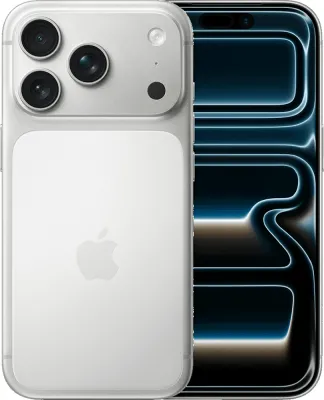
New customer buying a phone
- Order a Pay Monthly phone on o2.co.uk and choose eSIM at checkout.
- When the phone arrives, switch it on and follow the setup screens.
- Connect to the O2 network when asked. You get a confirmation once the eSIM is active.

Yes, O2 supports eSIM on Pay Monthly, SIM Only and Pay As You Go. It costs the same as a plastic SIM, so there is no extra fee. The fastest route is to choose eSIM at checkout. Already on an O2 plastic SIM? Look for Convert to eSIM in your phone's settings, or ask O2 for a replacement eSIM.
| Plan type | eSIM | Notes |
|---|---|---|
| Pay Monthly | Yes | Choose eSIM when you order a phone. It is installed on the phone and connects during first setup. |
| SIM Only | Yes | Choose eSIM when you order. O2 puts a QR code in your My O2 account for you to scan. |
| Pay As You Go | Yes | eSIM is available on every Big Bundle and rolling plan. Order it online or pick one up in any O2 store. |
Most eSIMs activate within a few minutes, but some take up to 24 hours. Wi-Fi is needed on dual SIM phones. Apple's eSIM-only phones do not need it. Pre-installed eSIMs on new phones need no QR code. A QR code can only be used once and locks to the first phone that scans it. If your camera is broken on a Samsung or Pixel, you can install the eSIM through the My O2 app. O2 recommends doing it in the daytime, as overnight network work can delay activation.
Dial *#06# on your phone. If you see an EID, it supports eSIM. O2 lists iPhone XS, XR and later, plus iPad mini 5th generation, iPad 7th generation and iPad Air 3rd generation or later. iPhone Air and iPhone Duo are eSIM only. For other phones, check the SIM Type line under Connectivity in the tech specs on O2's shop.
The QR code will not scan
Switch the camera to photo mode, as video mode will not read it. Check you are on Wi-Fi and that the code has not been used already. If it still fails, contact O2 or visit a store for a new code.
The eSIM is not active after 24 hours
Stay on Wi-Fi, check every install step is done and restart the phone if prompted. If it still does not work, contact O2 or visit a store.
You deleted your eSIM by mistake
Visit an O2 store with a passport or driving licence for a new QR code. Or contact O2, pass the security checks and download the new eSIM in My O2.
Your Samsung watch will not connect
The watch QR code must be installed through the Galaxy Wearable app, not the phone camera. If you scanned it with your phone by mistake, contact O2 for a new watch eSIM.
iMessage or FaceTime stopped working after the swap
They can take a short while to update. Try turning each one off and on again in Settings.
Every fact on this page was checked against O2's own help pages on 23 September 2026. Processes change, so check the official page before you start.