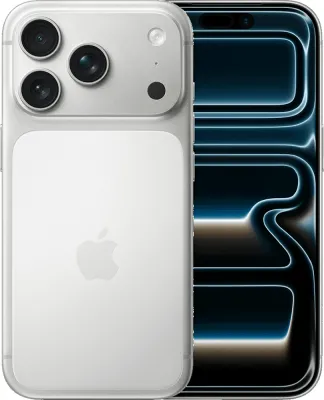
New customer buying a phone
- Order a pay monthly phone from EE and choose eSIM at checkout.
- When the phone arrives, switch it on and follow the setup screens.
- The eSIM is already on the phone and connects during setup.

Yes, EE supports eSIM on pay monthly phone plans and SIM only plans. EE lists no separate charge for choosing eSIM. The fastest route is to pick eSIM when you order, then download it in the EE app. Already with EE on a physical SIM? Many phones can convert it in the settings menu in a few taps.
| Plan type | eSIM | Notes |
|---|---|---|
| Pay monthly | Yes | Choose eSIM when you order a phone. It comes pre-installed and switches on during the phone's setup. |
| SIM only | Yes | Choose eSIM when you order and download it straight away through the EE app. |
| Pay As You Go | No | EE's eSIM help lists only pay monthly and SIM only routes, and its pay as you go pages only offer a SIM card sent by post. The one pay as you go eSIM EE sells is a data-only Travel eSIM for visitors to the UK. |
EE says setup takes minutes. You need an internet connection to download the eSIM. A QR code works only once, so keep it private and do not scan it on the wrong device. If you see an error, the usual fix is to download another eSIM from the EE app.
The quickest check is to dial *#06#. If the screen shows an EID number, the phone supports eSIM. EE lists Google Pixel 3a or later and Fairphone 4 or later as compatible, along with many Motorola, OnePlus, Oppo, Sony and Nokia models. For Apple, Samsung, Xiaomi and HONOR it points to each maker's own list.
An error appears during eSIM setup
Follow the on-screen instruction. In most cases the answer is to download a fresh eSIM in the EE app under Manage, Mobile and SIMs, Check Settings, Replace my SIM/eSIM.
The eSIM will not download
Check the phone supports eSIM by dialling *#06# and looking for an EID. Then make sure you have a strong Wi-Fi or mobile data connection.
The QR code will not scan
A wet, torn or smudged code may not read. You can type the details in by hand using the information in the EE app, or ask EE for a new QR pack.
You deleted your eSIM by mistake
Download a replacement in the EE app, call 07953 966 150 to request a QR pack, or visit an EE store.
Every fact on this page was checked against EE's own help pages on 23 September 2026. Processes change, so check the official page before you start.